

Televisions
Experience smart technology, powerful performance and reliable home appliances from Allview India Electronics.
Explore Products →Showing 1–12 of 29 resultsSorted by popularity
-
Televisions
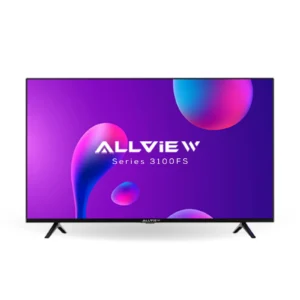
Allview AV3100FS 32″Smart TV Android Version
₹40,000.00Original price was: ₹40,000.00.₹35,990.00Current price is: ₹35,990.00. Add to cart -
Televisions
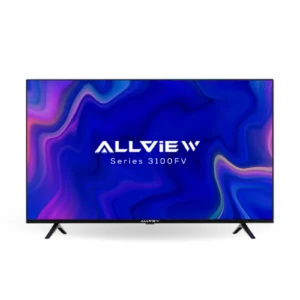
Allview AV3100FV 32″Smart TV Android Version
₹42,000.00Original price was: ₹42,000.00.₹38,990.00Current price is: ₹38,990.00. Add to cart -
Televisions
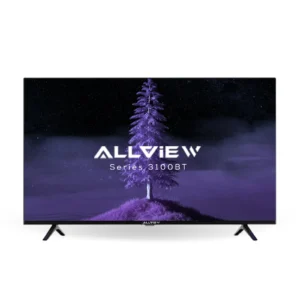
Allview AV3100BT 32″Smart TV Android Version
₹45,000.00Original price was: ₹45,000.00.₹40,990.00Current price is: ₹40,990.00. Add to cart -
Televisions
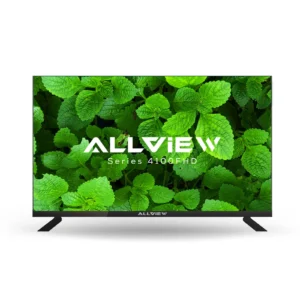
Allview AV4100FHD 43″ Smart TV Android Version
₹73,000.00Original price was: ₹73,000.00.₹69,990.00Current price is: ₹69,990.00. Add to cart -
Televisions
Allview AV4100XA 43″4K Smart TV Android Version
₹40,000.00Original price was: ₹40,000.00.₹35,000.00Current price is: ₹35,000.00. Add to cart -
Televisions
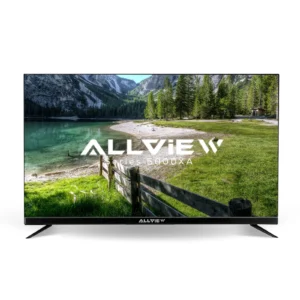
Allview AV5000XA 50″ 4K Android Smart TV
₹85,000.00Original price was: ₹85,000.00.₹82,990.00Current price is: ₹82,990.00. Add to cart -
Televisions
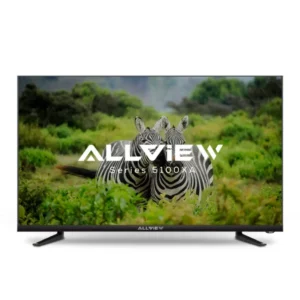
Allview AV5100XA 55″ 4K Smart TV Android Version
₹110,000.00Original price was: ₹110,000.00.₹92,990.00Current price is: ₹92,990.00. Add to cart -
Televisions
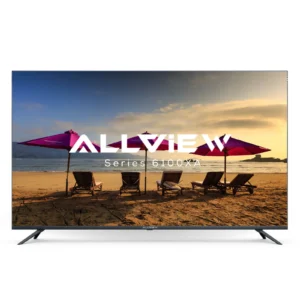
Allview AV6100XA 65″ 4K Smart TV Android Version
₹120,000.00Original price was: ₹120,000.00.₹99,990.00Current price is: ₹99,990.00. Add to cart -
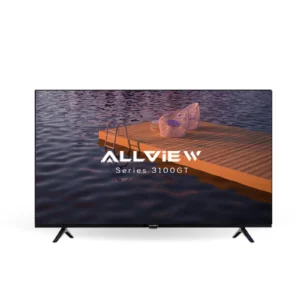
Televisions
Allview AV3100GT 32″ Google TV
₹45,000.00Original price was: ₹45,000.00.₹42,990.00Current price is: ₹42,990.00. Add to cart -
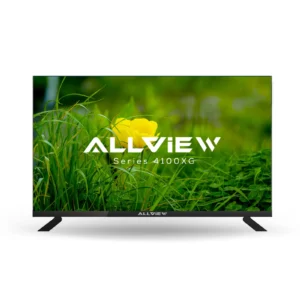
Televisions
Allview AV4100XG 43″4K Google TV
₹75,000.00Original price was: ₹75,000.00.₹72,990.00Current price is: ₹72,990.00. Add to cart -
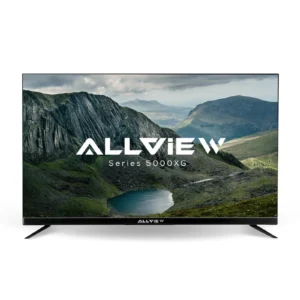
Televisions
Allview AV5000XG 50″ 4K Google Tv
₹90,000.00Original price was: ₹90,000.00.₹85,990.00Current price is: ₹85,990.00. Add to cart -
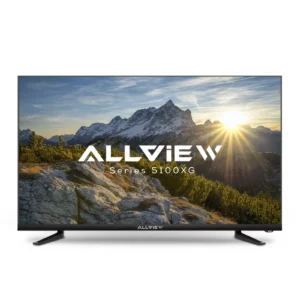
Televisions
Allview AV5100XG 55″ 4K Google TV
₹100,000.00Original price was: ₹100,000.00.₹93,990.00Current price is: ₹93,990.00. Add to cart
Allview TVs: Buy the Latest TVs, Exclusive Deals & Sales | Allview India Electronics
Buying a new television is about more than choosing a screen. You want clear pictures, good sound, useful features, and a price that fits your budget. Whether you enjoy watching movies with your family, following cricket matches, playing video games, or streaming your favourite shows, the right TV can make your free time more enjoyable.
Allview TVs are worth exploring if you are looking for a television that suits your entertainment needs. Before making a purchase, it is important to compare screen sizes, picture quality, smart features, connectivity, and available offers. These details can help you make a better decision without spending money on features you may never use.
Allview India Electronics is the place to explore when looking for Allview TV options, product details, and available deals. Check the specifications of individual models carefully, as features, prices, and availability can vary.
Discover the World of Allview TVs at Allview India Electronics
Choosing a television can feel confusing when so many models have different features and prices. Some TVs are designed for simple everyday viewing, while others offer smart apps, high-resolution pictures, and more ways to connect your devices.
Before you start looking through Allview TVs at Allview India Electronics, consider how you are going to use your television. Someone who mostly watches regular TV channels will probably want something different than somebody who spends hours watching online videos or playing games.
Compare the models available and prioritize the features that are most important to you. It’s easier to find a TV that will fit your home and budget.
Why Allview TVs Are Worth Exploring for Your Home Entertainment Needs
A good television can bring the family together. It can turn an ordinary evening into a movie night, make a cricket match more exciting, or provide entertainment after a long day at school or work.
When considering an Allview TV, look at its screen size, resolution, sound quality, smart features, and available connections. These are the main things that affect your viewing experience.
It is also worth checking the design. A television with slim borders may look neat in a modern living room, while a smaller model may fit better in a bedroom or study area. The best choice is not always the most expensive one. It is the model that meets your needs at a reasonable price.
Experience Everyday Entertainment with Smart TV Technology
Smart TVs have changed the way people watch television. Instead of depending only on cable or satellite channels, you can use compatible apps to watch films, web series, music videos, and other online content.
Depending on the model and its operating system, a smart TV may offer access to popular streaming services, internet browsing, screen casting, and voice search. You will usually need a reliable internet connection to enjoy these features.
Before buying an Allview Smart TV, check which apps it supports and whether the operating system receives updates. A simple interface is also useful because it allows everyone in the family to find their favourite content without much effort.
Find the Right Allview TV for Your Lifestyle and Budget
The right TV depends on your daily habits. If you watch television occasionally, a basic model may be enough. If you enjoy watching films in high quality, you may prefer a larger screen with a higher resolution.
Set a budget before comparing models. This helps you avoid paying extra for features that you do not need. Also, remember to consider additional expenses such as a wall mount, soundbar, or installation service, if required.
Make a short list of your priorities. Screen size, picture quality, internet connectivity, and price are good places to start. Once you know what matters most, choosing a television becomes much easier.
Explore the Latest Allview TV Models in India
Televisions come in different sizes to suit different rooms and viewing habits. A compact TV can work well in a bedroom, while a large model may be better for a spacious living room.
When browsing the latest Allview TV models in India, check the current product listings rather than assuming every screen size or feature is available. Model names, specifications, and stock can change over time.
Allview 32-Inch TVs: Compact Entertainment for Bedrooms and Small Spaces
A 32-inch television is a practical choice for smaller rooms. It can fit comfortably on a desk, a compact TV stand, or a suitable wall mount without taking up too much space.
This size may work well in bedrooms, rented rooms, student accommodation, or smaller homes. It is also a sensible option if you mainly watch regular TV channels, news, or online videos.
Before buying a 32-inch Allview TV, check its resolution and connectivity options. If you plan to use streaming apps, confirm that the model supports the services you want. A compact television can still provide an enjoyable viewing experience when it matches the room and your expectations.
Allview 40-Inch TVs: A Comfortable Viewing Experience for Everyday Use
A 40-inch TV offers more screen space than a compact model while remaining manageable in many homes. It can suit a medium-sized bedroom or a small living room, depending on the layout.
This screen size may be a good middle ground for people who want to watch films, sports, and television programmes without choosing a particularly large display.
Look at the resolution, speaker quality, and smart features before deciding. Two TVs with similar screen sizes can offer different experiences, so it is worth checking their specifications instead of judging them by appearance alone.
Allview 43-Inch TVs: The Perfect Balance of Size, Clarity, and Value
A 43-inch television is a popular size for everyday home entertainment. It provides a larger viewing area than smaller models without requiring as much space as a 55-inch or 65-inch TV.
For many homes, it can be a suitable choice for watching films, following sports, and streaming shows with family members. It may also work well in apartments where space is limited.
When comparing 43-inch Allview TVs, check whether the model offers HD, Full HD, or 4K resolution. The resolution can make a difference, especially when you watch high-quality content. However, the actual picture quality also depends on the display technology and the quality of the video being played.
Allview 50-Inch and 55-Inch TVs: Upgrade to a More Immersive Viewing Experience
A 50-inch or 55-inch television can make films, sporting events, and online content feel more engaging. The larger screen helps you notice more detail when you are watching suitable high-quality content from a comfortable distance.
These sizes are worth considering for medium or large living rooms. They can also be a good option if several people regularly watch TV together.
Before choosing a larger model, measure the available space and check the distance between the screen and your seating area. A television should fit naturally into the room rather than dominate it. If you are interested in 4K content, look for a model that supports 4K resolution and check its other picture features as well.
Allview 65-Inch and 75-Inch TVs: Bring the Big-Screen Experience Home
Large-screen televisions can create a more cinema-like atmosphere at home. A 65-inch or 75-inch TV may be suitable for a spacious living room or a dedicated entertainment area.
These screens are especially appealing for films, live sports, and other content where a larger image makes the experience more enjoyable. However, bigger is not automatically better. The room size, viewing distance, and picture quality all matter.
Check the TV’s dimensions, weight, mounting requirements, and available ports before purchasing. You should also confirm that the delivery route and installation space can accommodate the television safely.
Compare Popular Allview TV Series and Their Standout Features
Different television series may focus on different needs. One model might offer a compact design and basic features, while another may include a higher resolution, a different smart TV platform, or more connection options.
When comparing Allview TV series, read the product specifications carefully. Check the display type, resolution, operating system, speaker output, number of HDMI ports, and available wireless connections.
It is also useful to compare warranty terms and the final selling price. Do not assume that two models have identical features simply because they belong to the same brand. The product listing is the best place to confirm what each television actually offers.
Explore Allview Smart TVs for Smarter Entertainment
A smart TV combines regular television viewing with internet-based entertainment. It allows you to access supported apps and services through the TV itself, reducing the need for separate streaming equipment in some setups.
However, smart features vary by model. Check the operating system, app support, and connectivity before buying an Allview Smart TV.
What Makes an Allview Smart TV Different from a Traditional Television?
A traditional television mainly receives content through an antenna, cable connection, or external device. A smart TV can also connect to the internet and run supported applications.
This means you may be able to watch online videos, use streaming services, listen to music, and access other digital content directly from the TV. Some models also support screen sharing or voice controls.
Smart TVs do require a little setup. You may need to connect to Wi-Fi, sign in to apps, and accept software updates. Once everything is ready, everyday viewing can become more convenient.
Discover Allview Android TVs and Their Entertainment Possibilities
Android TV is a smart television platform that supports compatible apps and services. Depending on the model, it may provide access to streaming apps, games, recommendations, and other online features.
If you are considering an Allview Android TV, check the exact operating system version and the apps available on that model. App availability can depend on software support, regional restrictions, and the device’s certification.
Also, check whether the TV has enough storage for the apps you want to install. These small details can help you understand what the television can do before you buy it.
Explore Allview Google TVs for Personalized Content Discovery
Google TV is an interface built around finding and organizing entertainment from supported services. It can bring recommendations and content suggestions together, helping users discover what to watch.
Some Google TV devices also support voice search and personalized profiles. The features available depend on the particular model, software version, and services being used.
Do not assume every Allview television runs Google TV. Check the product listing to confirm the operating system and its included features before making a decision.
Allview WebOS TVs: A Modern Interface for Everyday Viewing
WebOS is a smart TV platform used on certain television models. Its interface is designed to make it easier to navigate apps, settings, and connected devices.
If an Allview model is advertised with WebOS, verify the exact software version and available features. App support, voice control, and connectivity options can vary between televisions.
A clear interface is useful, but it is only one part of the buying decision. Picture quality, sound, price, and warranty information are just as important.
Voice Search, Smart Remotes, and Convenient TV Controls
Finding a film by typing its full name with a remote control can take time. On compatible smart TVs, voice search offers a quicker way to look for shows, videos, and other content.
Some televisions include smart remotes with shortcut buttons or built-in microphones. These features depend on the model and supported software.
Before buying, check whether voice search is included and which languages it supports. It is also worth checking the remote’s layout. A comfortable remote with simple buttons can make a noticeable difference to everyday use.
Built-In Wi-Fi and Bluetooth: Enjoy a More Connected Entertainment Setup
Wi-Fi allows a compatible smart TV to connect to your home network without using an Ethernet cable. This is useful for streaming videos and accessing internet-based services.
Bluetooth can allow supported televisions to connect to compatible headphones, speakers, or other devices. However, not every TV supports every type of Bluetooth connection, so check the specifications.
If your Wi-Fi signal is weak in the room where the TV will be placed, streaming may be interrupted. Positioning the router sensibly or using a suitable network solution can help improve the connection.
Experience Better Picture Quality with Allview TVs
Picture quality is one of the most important things to consider when buying a television. Screen resolution, brightness, contrast, colour reproduction, and viewing angles all affect what you see.
A TV with an impressive list of features may still disappoint if its picture does not suit your viewing habits. Compare the specifications and, where possible, look at the display in person before deciding.
HD, Full HD, and 4K UHD: Which Resolution Is Right for You?
Resolution refers to the number of pixels used to form an image. More pixels can show finer detail, particularly on larger screens and when watching high-quality content.
HD generally refers to 1280 × 720 pixels, while Full HD offers 1920 × 1080 pixels. 4K UHD provides 3840 × 2160 pixels, which is four times the pixel count of Full HD.
The best option depends on your budget, screen size, and viewing habits. A smaller TV may be perfectly suitable with a lower resolution, while a larger screen can benefit more visibly from 4K content.
Discover the Benefits of 4K Allview TVs for Movies and Streaming
A 4K television can display considerably more detail than a Full HD television when the source material is available in 4K. This can make landscapes, textures, and fine details look clearer.
However, buying a 4K TV does not automatically make every video appear in 4K. The content, streaming service, internet connection, and device settings all play a role.
If you watch many films or shows in high resolution, a compatible 4K television may be worth considering. Before purchasing an Allview 4K TV, confirm its resolution in the official specifications and check which picture features it includes.
Explore QLED Allview TVs for Colourful and Engaging Visuals
QLED televisions use a quantum-dot layer to help produce a wider range of colours. Depending on the display design, they may also deliver strong brightness and vivid images.
This can be useful when watching colourful films, animated content, and nature documentaries. Still, QLED is not a guarantee that every aspect of picture quality will be better than every standard LED TV.
Compare brightness, contrast, colour performance, and resolution together. If an Allview TV is advertised as QLED, confirm the technology in the product specifications before relying on the label.
Frameless Designs and Wide Viewing Angles for Modern Living Rooms
A television with slim borders can give the screen a clean, modern appearance. It may also help the picture stand out without thick edges drawing attention away from the content.
Viewing angles matter too, especially when several people sit in different parts of the room. Some panels maintain colour and contrast better when viewed from the side than others.
If you regularly watch television with family or friends, consider how the screen looks from different seats. Also check the stand design and overall dimensions to make sure the TV suits your furniture.
How Screen Resolution and Picture Quality Affect Your Viewing Experience
Resolution is important, but it is not the only factor that determines how good a television looks. Brightness, contrast, colour accuracy, motion handling, and the quality of the source video also matter.
For example, a high-resolution screen cannot restore details that are missing from a low-quality video. Likewise, a television with good contrast may make dark scenes easier to see.
Think about the content you watch most often. Films, sports, cartoons, and regular television broadcasts place different demands on a display. Comparing these factors can help you choose a TV that performs well in everyday use.
Enjoy Immersive Sound with Allview Television Technology
Clear sound makes television more enjoyable. Dialogue should be easy to understand, music should sound balanced, and action scenes should not become unpleasantly loud.
Built-in speakers are convenient for daily viewing, but people who enjoy films or music may want to explore external audio equipment. Check the audio specifications of each Allview TV before deciding.
Built-In Speakers for Clear Everyday Audio
Built-in speakers are usually enough for watching news, regular programmes, and online videos in a small or medium-sized room.
Sound quality depends on more than speaker wattage. Speaker placement, room acoustics, and audio settings can all affect how the TV sounds.
If possible, listen to the television before buying it. You can also check whether it offers sound modes for films, dialogue, or music. These settings may help you adjust the audio to suit different types of content.
Explore Dolby Audio Features on Selected Allview TV Models
Some televisions include Dolby audio technologies designed to improve the way compatible sound is processed. The exact benefit depends on the supported format, source content, and speaker setup.
If Dolby Audio is important to you, verify that the particular Allview model includes it. Do not assume every television in a product range supports the same audio features.
It is also worth checking whether the TV can pass supported audio formats to an external sound system. This may be useful if you plan to upgrade your home entertainment setup later.
Pair Your Allview TV with a Soundbar for a Cinematic Experience
A soundbar can provide fuller sound than the small speakers built into many televisions. Some models also include a separate subwoofer for stronger bass.
Before purchasing a soundbar, check how it connects to the TV. HDMI ARC or eARC can simplify connections when supported by both devices, while optical audio is another option on compatible equipment.
Make sure the soundbar fits the available space and that its features match your needs. You do not have to buy an expensive system to improve your listening experience.
Improve Your Home Entertainment Setup with External Audio Devices
External speakers, soundbars, and compatible headphones can help you personalise your audio setup. The right choice depends on the room, your budget, and how you use the TV.
Headphones may be useful for late-night viewing, while a soundbar can work well for family movie nights. Some external speakers may require additional cables or a separate receiver.
Check the TV’s supported audio connections before buying accessories. Compatibility matters, and it is better to confirm the connection type in advance than discover later that the devices do not work together as expected.
Find the Best Allview TV for Every Room
The same television will not suit every room. A bedroom may need a compact screen, while a living room may have enough space for a larger display.
Think about room size, seating arrangements, natural light, and available furniture. A little planning can make the television easier to use and more comfortable to watch.
Choose an Allview TV for Your Living Room
The living room is often where families watch films, sports, and television programmes together. A screen that is large enough for everyone to see can make these activities more enjoyable.
A 43-inch, 50-inch, or 55-inch television may suit many living rooms, but the right size depends on the room and viewing distance. Larger models may work better in spacious areas.
Also consider daylight and reflections. If sunlight falls directly on the screen, you may need to adjust the TV’s position or use curtains to reduce glare.
Find a Compact Allview Television for Your Bedroom
A bedroom TV should be easy to view from the bed without taking up too much space. A compact screen may be enough, particularly if the room is small.
Before choosing a model, decide whether you will place it on a cabinet or mount it on the wall. Check the viewing angle and the distance between the screen and your usual viewing position.
If you enjoy streaming before sleeping, look for a smart TV that supports your preferred apps. You may also want to check whether the remote is easy to use in low light.
Select an Allview TV for Your Kids’ Room or Study Area
A smaller television can be suitable for a child’s room or a study area where space is limited. It can be used for educational videos, entertainment, or connecting a laptop when the model supports the required input.
Safety should be a priority. Place the TV on stable furniture or use a suitable wall mount, and keep power cables out of reach where possible.
Parents may also want to review available content controls and app settings. These features differ between models, so check the specifications and software options before buying.
Create a Big-Screen Home Cinema with a Large Allview TV
A large television can make a dedicated entertainment room feel more like a home cinema. Films and sports can become more engaging when the screen fills more of your field of view.
To get the best result, consider the seating position, lighting, and audio setup. A large screen works best when viewers can comfortably see the entire picture without needing to move their heads constantly.
A soundbar or compatible speaker system can add to the experience. Before buying a 65-inch or 75-inch TV, check the room measurements, mounting support, and installation requirements.
Match Your TV Screen Size to Your Room Dimensions and Viewing Distance
Screen size should be chosen according to how far away you sit. A screen that is too small may make details difficult to see, while an oversized display can feel uncomfortable in a cramped room.
Resolution also affects viewing distance. Higher-resolution screens can make it more comfortable to sit closer and still see fine details, especially when watching suitable content.
Measure your room before shopping. Compare the TV’s actual width and height with your furniture, and leave enough space for cables and ventilation. These simple steps can help you avoid an awkward fit.
Allview TV Prices in India: Find a Television That Fits Your Budget
Television prices vary according to screen size, display technology, resolution, smart features, and the retailer’s current offers. A smaller basic model will generally cost less than a large television with advanced display technology.
Because prices and availability can change, check the current Allview India Electronics listings for the latest information. Compare the final price rather than relying only on an advertised discount.
Explore Affordable Allview TVs for Everyday Entertainment
An affordable TV can be a good choice if you mainly watch regular television channels, news, and occasional online videos. You may not need advanced display technology or a very large screen for these activities.
Focus on the basics: acceptable picture quality, clear sound, reliable connections, and a suitable warranty. If you want smart features, check that the TV supports the apps you actually use.
It is worth comparing two or three models in the same price range. A small difference in price may bring a useful improvement, but only if the extra feature matters to you.
Compare Mid-Range Allview Smart TVs and Their Features
Mid-range televisions may offer a balance between price, screen size, and useful features. Depending on the available models, this category could include larger displays, better resolution, smart platforms, or additional connectivity options.
When comparing options, avoid judging them by screen size alone. Check the operating system, picture quality, audio output, and number of ports.
Also consider how long you expect to keep the TV. Spending a little more on a feature you will use regularly may be worthwhile, while paying extra for something unnecessary may not be.
Discover Premium Allview TVs with Larger Screens and Advanced Features
Premium televisions often focus on larger screens, higher resolutions, or more advanced display and audio features. They may be suitable for people who watch films frequently or want a more immersive setup.
However, a premium price does not automatically mean a model is right for you. Check the specifications and compare them with less expensive alternatives.
If you are considering a premium Allview TV, pay attention to the display technology, supported content formats, connection options, and warranty. The goal is to get the features you value without exceeding your budget unnecessarily.
What Factors Influence Allview TV Prices?
Several factors affect the price of a television. Screen size is one of the most noticeable, but resolution and display technology can also make a difference.
Smart TV features, operating system support, audio technology, and the number of available connections may influence the price too. Retailer discounts, stock levels, and seasonal sales can affect the amount you pay.
Shipping, installation, mounting equipment, and extended warranty options may add to the overall cost. Check these expenses before placing an order so that you can plan your budget properly.
Is It Worth Spending More on a 4K or QLED Allview TV?
That depends on your viewing habits and the options available. A 4K TV may be a good investment if you regularly watch high-resolution films or shows on a medium or large screen.
QLED technology may appeal to viewers who want rich colours and strong brightness, although results depend on the specific panel and model. It is important to compare the whole display rather than relying on one feature.
If your budget is limited, a well-chosen Full HD television may still meet your needs. Compare the price difference with the benefits you are likely to notice in daily use.
How to Compare Allview TV Specifications Before Making a Purchase
Start with the screen size and resolution. Then check the operating system, supported apps, speaker output, HDMI ports, USB ports, Wi-Fi, and Bluetooth support.
Look for details about the display technology and any advertised picture or sound enhancements. Make sure these features are confirmed for the exact model you intend to buy.
Finally, compare warranty coverage, delivery charges, return conditions, and the total price. A simple comparison can prevent confusion and help you choose a television that offers good value.
Unlock Exclusive Allview TV Deals and Sales
A good deal can make upgrading your television more affordable. However, a discount is only useful when the product meets your needs and the final price is competitive.
Check the current offers at Allview India Electronics and read the terms before ordering. Discounts, coupon codes, and payment benefits may be available only on selected products or during specific periods.
Shop the Latest Allview TV Offers at Allview India Electronics
Start by checking the current television listings and comparing the prices of the models you like. If an offer is available, read its conditions to understand which products qualify and when the promotion ends.
Compare the discounted price with the features offered by similar models. This helps you decide whether the deal provides genuine value rather than simply looking attractive on the product page.
Always confirm the final amount at checkout, including delivery charges and any other applicable fees.
Discover Limited-Time Discounts on Selected Allview TV Models
Some retailers run limited-time promotions on selected products. These offers may be linked to a special sale, stock clearance, or a particular payment method.
Before making a quick decision, check the product specifications, warranty, and return policy. A short deadline should not stop you from checking the details.
If you find a model that meets your needs at a suitable price, compare it with your other shortlisted options. A thoughtful purchase is better than buying a television simply because a countdown timer creates pressure.
Explore Special Prices on Allview Smart TVs
Smart TVs can vary widely in price, even when their screen sizes are similar. A special offer may make a model with useful streaming or connectivity features more affordable.
Check which apps the TV supports, which operating system it uses, and whether it has the ports you need. Also, verify that the listed smart features are available on the exact model.
Do not assume every smart TV is the same. A quick specification check can help you understand whether the offer is worth considering.
Look for Seasonal Savings During India’s Biggest Shopping Events
Shopping events and seasonal promotions can sometimes bring discounts on electronics. Retailers may offer reduced prices, bundled accessories, or eligible payment benefits during these periods.
If you are planning to buy a television, it can help to compare prices before and during a sale. This gives you a clearer idea of whether the advertised discount represents a meaningful saving.
Still, do not wait for a particular event if you find a suitable model at a fair price and need it immediately. Your budget and requirements should remain the main priorities.
Find Festive Allview TV Deals During Diwali and Other Celebrations
Festive periods such as Diwali can be a popular time to shop for home electronics. Some retailers may introduce special offers or promotional bundles during these occasions.
Check the actual price, stock availability, delivery timeline, and return conditions before placing an order. Festive promotions can vary from one retailer to another.
If you are buying a TV as a gift or planning a home upgrade, allow enough time for delivery and installation. A little preparation can help you avoid last-minute stress.
Check for Bank Offers, Coupon Codes, and Eligible Payment Benefits
Some promotions offer additional savings through selected bank cards, digital payment methods, or coupon codes. These benefits may have minimum purchase amounts, spending limits, or other conditions.
Read the terms carefully before using an offer. Check whether the discount applies to your chosen television and whether it can be combined with other promotions.
The final checkout amount is what matters. Compare it with the standard selling price and include any applicable fees before deciding.
How to Identify Genuine Discounts and Get Better Value for Money
A large percentage discount does not always mean a product is the best choice. Compare the final price with similar models and check whether the television has the features you want.
Look for clear product specifications, reliable seller information, warranty details, and transparent return conditions. Be cautious if a listing lacks important information or makes claims that are difficult to verify.
A genuine bargain should offer a useful product at a fair price. Take a few minutes to check the details before completing your purchase.
Tips for Finding the Best Time to Buy an Allview TV Online
Begin by deciding which screen size and features you need. Then monitor the prices of a few suitable models rather than browsing randomly.
You can compare prices during major sale periods, but remember that discounts and stock levels change. Check whether an offer includes additional charges or restrictions.
If you find a model that meets your requirements and fits your budget, there may be little reason to wait. The best time to buy is when the price, product, and timing work for you.
How to Choose the Best Allview TV for Your Needs
Choosing a television becomes easier when you focus on a few key questions. Where will you place it? What will you watch? Which features do you need? And how much are you comfortable spending?
Answering these questions first can help you avoid paying for features that do not improve your everyday viewing.
Start with Your Budget and Must-Have Features
Decide on a comfortable spending limit before browsing. Include possible extra costs such as installation, mounting equipment, or audio accessories.
Next, make a short list of must-have features. You might want a smart operating system, a particular screen size, 4K resolution, or enough HDMI ports for several devices.
Keep optional features separate from essential ones. This makes it easier to compare models without getting distracted by specifications you are unlikely to use.
Decide Between a Standard TV and a Smart TV
A standard television may be suitable if you mainly use a cable connection, set-top box, or external media player. A smart TV is more convenient if you want to access supported streaming apps directly.
Think about your current setup. If you already own a streaming device, you may not need to pay extra for a television with advanced smart features.
If you choose a smart TV, confirm the operating system, app support, and internet requirements. These details are more useful than the smart TV label alone.
Choose the Right Screen Size for Your Space
Measure the area where you plan to place the TV. Consider the width of your furniture, the wall space, and the distance from the screen to your usual seating position.
A compact model may be ideal for a small bedroom, while a larger screen may suit a spacious living room. Make sure the television does not obstruct doors, shelves, or other furniture.
Remember to check the actual dimensions of the TV, including its stand. Screen size is measured diagonally, so the overall width may be different from what you expect.
Compare HD, Full HD, and 4K Resolution Options
HD, Full HD, and 4K refer to different levels of image resolution. Higher resolution can show more detail when the source content supports it.
For smaller screens and basic viewing, a lower resolution may be sufficient. On larger displays, 4K can provide a clearer image when watching suitable content.
Compare the price difference with your needs. If you frequently stream high-quality films or watch content from compatible devices, higher resolution may be worth considering.
Check RAM, Storage, and Operating System Compatibility
RAM and internal storage can affect how a smart TV handles apps and other software tasks.
How important these specifications are depends on the operating system and how you want to use the television.
If you’re installing a number of apps or using demanding smart features, check the memory and storage available. It’s also worth checking what operating system the TV runs and if your favorite apps are supported.
Never assume that a bigger number always means better overall performance. Processor capability counts too and ongoing support. Software optimization counts as well.
Review HDMI, USB, Bluetooth, and Other Connectivity Options
HDMI ports connect devices such as gaming consoles, streaming players, and laptops. USB ports may support compatible storage devices and certain accessories.
Wi-Fi is useful for internet access, while Bluetooth may support selected wireless headphones or speakers. Some televisions also offer an Ethernet port for a wired internet connection.
Count the devices you plan to connect and check how many ports are available. If you expect to use a soundbar or gaming console, make sure the TV supports the connections those devices require.
Consider Voice Remote Features and Ease of Navigation
A remote should be comfortable to hold and simple to understand. Well-placed buttons can make it easier to switch inputs, adjust volume, and open apps.
Voice search may be useful if the TV supports it, especially when searching for a film or programme by name. However, language support and available voice commands vary.
Check whether the remote includes a microphone, shortcut buttons, or other features you want. A simple, reliable remote may be more useful than a complicated one with features you rarely use.
Evaluate Audio Performance and External Speaker Compatibility
Check the built-in speaker specifications and any advertised sound technologies. If possible, listen to the TV before buying it.
If you enjoy films or music, consider whether you might add a soundbar later. Check the available audio connections and confirm compatibility with your preferred equipment.
You do not need a large speaker system for every room. Choose an audio setup that suits your space, budget, and usual viewing habits.
Balance Everyday Viewing Needs with Long-Term Value
The cheapest television may not always offer the best value, but the most expensive one may not be necessary either. What matters is how well the TV meets your needs over time.
Think about the features you use daily. Reliable connectivity, suitable picture quality, a comfortable screen size, and clear warranty terms may matter more than a long list of advanced functions.
Compare the total cost with the benefits you expect to receive. This approach helps you make a practical choice rather than an impulsive one.
Allview TV Features You Should Know Before Buying
Television specifications can look complicated at first, but understanding a few common terms makes comparison much easier. Ports, wireless connections, software features, and storage all affect how you use the TV.
Always check the specifications of the exact model. Features that are available on one television may be missing from another.
Understand HDMI and USB Ports for Connecting External Devices
HDMI is commonly used to send digital video and audio from a connected device to the television. It is useful for gaming consoles, streaming players, laptops, and other compatible equipment.
USB ports may allow the TV to read supported media files or connect certain accessories. The supported file formats and functions can vary between models.
Check the number of ports and their capabilities before buying. If you plan to connect multiple devices, having enough suitable ports can save you from constantly unplugging cables.
Connect Gaming Consoles, Laptops, and Media Players to Your TV
A compatible television can serve as a display for a gaming console, laptop, or media player. This can be useful for gaming, presentations, online videos, or watching downloaded content from supported devices.
For a laptop, check whether the computer and TV have compatible video connections. For gaming, look at the TV’s input capabilities and supported refresh rates if smooth motion is important to you.
A standard HDMI connection may be enough for basic use, but some advanced gaming features require specific hardware support. Verify these details before purchasing.
Explore Built-In Chromecast and Screen-Casting Capabilities on Supported Models
Screen casting allows you to display supported content from a phone, tablet, or computer on a television. Depending on the TV and the casting method, you may be able to share videos, photos, or other compatible content.
Some televisions include built-in Chromecast, while others may support different casting methods or require an external device. Do not assume the feature is available on every model.
Check compatibility with your phone and the TV’s operating system. This can help you decide whether the television will work smoothly with your existing devices.
Use Smart TV Apps for Streaming Movies, Shows, and Videos
Smart TV apps can provide access to films, web series, music, and other digital content. The available selection depends on the television’s operating system and regional app support.
Before buying, check whether the services you use are supported. You may also need to create accounts or pay separate subscriptions to access certain content.
Keep the software updated when updates are available. This can help maintain compatibility and improve the overall experience, although update availability depends on the device and its support policy.
Discover Voice Assistants and Hands-Free Search on Compatible TVs
Voice assistants can make certain TV tasks easier. On supported models, you may be able to search for content, open apps, or control selected settings by speaking into a compatible remote.
The available commands depend on the TV’s software, language support, and connected services. Some features may require an account or an internet connection.
If voice control is important to you, check the exact functions offered by the model. This will help you understand what the feature can and cannot do before buying.
Understand TV Memory and Storage for Smoother App Usage
Memory and storage are particularly relevant to smart televisions. RAM helps the system run apps and manage tasks, while internal storage holds software and supported app data.
The amount you need depends on the operating system and the apps you use. A television intended mainly for basic streaming may have different requirements from one that supports many applications.
Check these specifications if they are listed, but do not judge performance by memory alone. The processor, software design, and available updates also contribute to the overall experience.
Allview TVs for Movies, Sports, Gaming, and Streaming
A television can serve many purposes beyond watching regular channels. The best model for you depends on the content you enjoy and the devices you plan to connect.
Consider your main activities before choosing a screen. This can help you focus on the features that will make the biggest difference.
Enjoy Movie Nights with a Bigger Screen and High-Resolution Pictures
Watching films on a larger screen can make the experience more engaging, particularly when the picture has good detail and contrast. A suitable screen size can also help everyone in the room enjoy the film comfortably.
If you stream movies, check whether the television supports the resolution and picture formats you want to watch. A 4K TV can display compatible 4K content, but the streaming service and internet connection must also support it.
Good sound matters too. Even a simple audio adjustment can help dialogue sound clearer and make film nights more enjoyable.
Watch Live Sports with a Comfortable Viewing Setup
Sports are often more enjoyable on a screen that is large enough to show the action clearly. Picture handling and motion performance can also affect how smooth fast-moving scenes appear.
If you watch a lot of cricket, football, or other sports, compare the display specifications and look for suitable picture modes. Keep in mind that the quality of the broadcast also affects what you see.
Arrange the seating so everyone has a clear view of the screen. Reducing reflections from windows and lights can also make daytime viewing more comfortable.
Choose an Allview TV for Casual Gaming and Console Entertainment
A compatible television can provide a larger display for console games. It may also be useful for casual gaming, family games, and connecting a gaming device to the living room.
If gaming performance matters, check the input lag information where available, supported refresh rates, and any gaming-specific features. Not every television includes advanced gaming technology.
Make sure the TV has enough HDMI ports for your console and other devices. For most casual players, choosing a model that fits their budget and gaming habits is a sensible place to start.
Stream Your Favourite Shows on Compatible Smart TV Platforms
Streaming apps make it easy to watch shows and films whenever you want. Instead of following a fixed broadcast schedule, you can browse the available library and choose something that suits your mood.
Check whether your preferred streaming services are supported on the Allview TV you are considering. Some apps may require subscriptions, and availability can differ by region.
A stable internet connection is important for smooth playback. If several people use the same network, you may need to consider your internet speed and router placement.
Connect Your Laptop or Other Devices for Work and Presentations
A television can be useful for displaying presentations, photographs, documents, and other content from compatible devices. A laptop connected through HDMI is often a straightforward option.
Before connecting, check the available ports and the output settings on your laptop. You may need to adjust the display resolution or choose whether to duplicate or extend the screen.
For work-related use, make sure the text is readable from your seating position. A television is useful for shared viewing, but a computer monitor may be more suitable for long hours of close-up work.
Allview TV Comparison Guide: Find Your Best Match
Comparing televisions side by side can make the buying process less confusing. Start with screen size and resolution, then look at smart features, connectivity, audio, and price.
Use the specifications for each exact model. Similar product names do not always mean identical features.
Allview 32-Inch vs. 43-Inch TVs: Which Size Offers Better Value?
A 32-inch TV may be a better choice for a small bedroom or a limited budget. It takes up less space and can be suitable for regular television viewing.
A 43-inch TV offers a larger picture and may be more comfortable for shared viewing in a living room. It may also provide more options in terms of resolution or smart features, depending on the available models.
Compare the price difference with the room size and your viewing habits. The smaller model may be better for a compact space, while the larger one may offer a more enjoyable experience when you have enough room.
Allview Full HD vs. 4K TVs: What Should You Choose?
Full HD has a resolution of 1920 × 1080 pixels, while 4K UHD offers 3840 × 2160 pixels. This means a 4K display can show more image detail when the source material supports it.
Full HD can still be suitable for everyday viewing, especially on smaller screens or when most of your content is not available in 4K. A 4K TV may be more appealing if you watch high-resolution content regularly.
Compare the cost, screen size, and available content before deciding. Higher resolution is useful, but it should fit your overall needs and budget.
Allview Android TV vs. Google TV: Understanding the Differences
Android TV and Google TV are related television platforms, but their interfaces and content discovery features differ. Google TV focuses strongly on organising recommendations and content from supported services, while Android TV uses its own app-focused interface.
The available apps and features depend on the specific device, software version, and region. Neither label alone guarantees that every app or function will be available.
When comparing Allview models, check the exact operating system and supported features in the product listing. Choose the platform that best suits your viewing habits and preferences.
Allview LED vs. QLED TVs: Key Features to Compare
LED TVs generally use an LED backlight to illuminate an LCD panel. QLED TVs use quantum-dot technology to help produce a broader range of colours.
QLED models may offer strong colour performance, but the actual result depends on the complete display design. Brightness, contrast, picture processing, and viewing angles still matter.
Compare the specifications and prices of the exact models available. If possible, view the televisions in person to see how their pictures look under similar lighting conditions.
Allview 55-Inch vs. 75-Inch TVs: Choosing the Right Big-Screen Experience
A 55-inch television can provide a large picture while fitting into many medium-sized living rooms. A 75-inch model offers a much larger viewing area and may suit spacious rooms or dedicated entertainment spaces.
The larger television needs more wall or furniture space and may require more careful installation. You should also check the weight, mounting compatibility, and distance between the screen and your seating.
Choose the size that fits the room comfortably. A well-positioned 55-inch TV may be a better choice than a 75-inch model that overwhelms the available space.
Compare Connectivity, Sound, Storage, and Smart Features Across Models
Screen size and resolution are only part of the comparison. Check the HDMI and USB ports, Wi-Fi and Bluetooth support, operating system, audio features, and available memory.
Think about your current devices. If you use a console, soundbar, streaming player, and laptop, you may need several connections.
A comparison table can make the differences easier to see. Write down the features you need, the price of each model, and any important warranty conditions before choosing.
Shop Allview TVs Online at Allview India Electronics
Shopping online can make it easier to compare television models and review their specifications. You can look at screen sizes, features, and prices without visiting several physical stores.
Before ordering, confirm the seller details, product information, delivery terms, and warranty conditions. These checks are important for any electronics purchase.
Browse the Allview Television Collection and Find Your Favourite Model
Start by exploring the available television listings. Use the product information to narrow your choices by screen size, resolution, smart features, and budget.
Read the specifications for each model instead of relying only on the product title or promotional images. If you have questions about a feature, check the official product information or contact the seller.
Save the details of two or three suitable models and compare them. This makes it easier to choose a TV that offers the right balance of price and features.
How to Check Product Specifications and Availability Online
Read the full product description before placing an order. Check the model number, screen size, resolution, operating system, connections, and other important features.
Availability can change, so confirm whether the product is in stock and can be delivered to your location. If a listing includes an offer, review its conditions and validity.
It is also worth checking the warranty and return policy. Clear information can help you understand what to expect if the product arrives damaged or does not meet the stated specifications.
Add Your Preferred Allview TV to the Cart and Complete Your Order
Once you have chosen a model, review the product page one final time. Confirm the model number, quantity, price, and any selected accessories.
Add the television to your cart and check the order summary before proceeding to payment. Make sure the delivery address and contact information are correct.
Read the final terms before confirming the order. Keeping a copy of the order confirmation can also be useful for tracking the shipment and managing any future service requests.
Explore Available Payment Methods for a Convenient Checkout
Online retailers may support different payment methods, such as cards, eligible digital payment services, or other checkout options. The methods available depend on the retailer and order.
Check the payment page to see which options are offered. If a bank discount or promotional code is available, read the terms to confirm whether your purchase qualifies.
Use a secure checkout and avoid sharing payment details through unofficial messages. If a payment fails, check your bank or payment service before attempting another transaction.
Check Delivery Availability and Shipping Information Before Ordering
Large electronics can have different delivery requirements from smaller products. Before ordering, check whether delivery is available at your address and whether any shipping fees apply.
Review the estimated delivery date and inspect the package when it arrives. If the outer packaging appears damaged, follow the seller’s instructions for documenting and reporting the issue.
Keep the packaging and purchase documents until you have confirmed that the television is working properly. These may be useful if you need to contact the seller about a delivery or product problem.
What to Know About Installation and Setup Services
Some retailers may offer installation services, while others may require customers to arrange installation separately. Check the terms before ordering rather than assuming installation is included in the price.
If you plan to mount the TV on a wall, confirm that the wall and mounting bracket are suitable for the television’s size and weight. A professional installer may be helpful for larger screens.
For tabletop installation, use a stable surface and follow the manufacturer’s instructions. Proper setup helps protect the TV and makes it more comfortable to watch.
Tips for Making a Confident and Secure Online TV Purchase
Buy from a seller that provides clear product information, pricing, and customer support details. Check the model number and make sure the listed features match what you want.
Review the warranty, return conditions, delivery charges, and payment terms before placing the order. Be cautious about offers that seem unusually cheap but provide little information about the product or seller.
Finally, save the invoice and order confirmation. These documents may be needed for warranty service, returns, or other questions after the purchase.
Allview TV Installation, Setup, and Everyday Use
Once your television arrives, a few simple steps can help you get it ready for everyday use. Choose a suitable position, connect the required devices, and adjust the settings to match your room.
Follow the instructions supplied with the exact model. This is especially important when mounting the television or connecting external equipment.
Prepare Your Room Before Your New Allview TV Arrives
Measure the available space before delivery. Check the TV’s dimensions and make sure the furniture or wall can accommodate it safely.
Choose a position where the screen is easy to see and does not receive too much direct sunlight. Leave enough space around the television for ventilation and cable connections.
It is also useful to plan where the power socket and connected devices will be placed. This can prevent tangled cables and make the installation process easier.
Wall Mounting vs. Tabletop Installation: Which Option Works Best?
Wall mounting can save furniture space and give the room a tidy appearance. However, the wall and bracket must be suitable for the TV’s size and weight.
A tabletop installation is often simpler, provided the stand is stable and the surface is strong enough. It can also make the television easier to reposition when needed.
Choose the method that suits your room and follow the manufacturer’s instructions. If you are unsure about wall mounting, consider using a qualified installer.
Connect Your Allview TV to Wi-Fi and Set Up Smart Features
If your TV supports smart features, connect it to your home network during setup. You will usually need to select your Wi-Fi network and enter its password.
Follow the on-screen instructions to configure the TV and install any available updates. Some models may also ask you to sign in to an account before using certain services.
If the connection fails, check your Wi-Fi password and signal strength. Restarting the router or moving it closer may help resolve some connection problems.
Sign In to Streaming Apps and Personalise Your Home Screen
After connecting to the internet, open the supported streaming apps you want to use. Some services require an account or a paid subscription.
Arrange the available apps and settings in a way that makes them easy to find. Depending on the operating system, you may be able to customise the home screen or create profiles.
Use strong passwords and sign out of accounts if you sell or give away the TV later. These habits can help protect your personal information.
Adjust Picture and Sound Settings for a Better Viewing Experience
Picture settings can affect brightness, contrast, colour, and motion. Many televisions include presets for standard viewing, films, sports, or gaming.
Try the available settings and choose the one that looks comfortable in your room. Avoid setting the brightness too high if you usually watch TV in a dark space.
Sound settings may also include dialogue or cinema modes. Adjust the volume and sound profile to suit the content without making the audio unpleasantly loud.
Keep Your TV Software and Compatible Apps Updated
Software updates can provide improvements, security fixes, and compatibility changes. If your television supports automatic updates, check how this feature works in its settings.
You can also look for updates manually, following the manufacturer’s instructions. Make sure the TV has a stable power supply and internet connection when an update requires them.
Not every model receives updates for the same length of time. Check the support information for your specific television if ongoing software support is important to you.
Allview TV Warranty, Customer Support, and After-Sales Service
Warranty and service information should be part of your buying decision. A clear warranty can explain what is covered, how long the coverage lasts, and what steps to follow if a fault occurs.
Do not assume all models or sellers offer identical terms. Confirm the conditions for the exact product before ordering.
Understand the Warranty Coverage for Your Allview TV
A product warranty may cover certain manufacturing defects for a specified period. However, the exact coverage, exclusions, and service process depend on the warranty terms.
Read the warranty document carefully and check whether it includes the screen, internal components, accessories, and service charges. Accidental damage and problems caused by improper use may be excluded.
Keep the warranty information somewhere safe. Knowing the conditions in advance can make it easier to understand your options if the television develops a fault.
How to Find Warranty and Service Information Before Buying
Look for the warranty period, service contact details, and any conditions that apply to the product. If the information is unclear, ask the seller for clarification before making a payment.
Check whether service is available in your area and whether the television needs to be taken to a service centre. The process may vary by location and model.
It is also helpful to confirm whether installation affects warranty coverage. Following the supplied instructions and using suitable accessories can help you avoid preventable problems.
What to Do If Your Allview TV Needs Technical Assistance
If the TV stops working properly, start by checking the user manual and basic troubleshooting steps. For example, confirm that the power cable is connected, the correct input is selected, and the internet connection is working if the problem involves streaming.
Avoid opening the television or attempting repairs that could be unsafe. If the issue continues, contact the appropriate seller or authorised service provider.
Describe the problem clearly and provide the model number and purchase details when requested. This can help the support team understand the issue and guide you towards the next step.
Contact Allview India Electronics for Product and Service Support
If you have questions about a television, use the contact information provided by the retailer or the relevant official support channel. Ask about specifications, availability, warranty terms, delivery, or installation as needed.
Keep your questions specific. For example, you could ask whether a model supports a particular streaming app or has enough HDMI ports for your devices.
Use verified contact details rather than relying on unconfirmed phone numbers or social media accounts. This is especially important when sharing purchase information or arranging a service visit.
Tips for Keeping Purchase Invoices and Warranty Documents Safe
Save your invoice, order confirmation, warranty documents, and any installation records. Digital copies can be useful, but it is sensible to keep them in a secure place.
Write down the model number and serial number if required for service. These details can help identify the exact television when you contact support.
Do not discard important documents immediately after delivery. Keeping them until the warranty period ends can make future service requests easier to manage.
Keep Your Allview TV in Excellent Condition
Simple care can help keep your television clean and in good working order. Follow the manufacturer’s instructions and avoid using cleaning products that may damage the screen.
Good placement, safe cable management, and sensible use can also reduce avoidable problems.
Simple Screen-Cleaning Tips to Protect Your Television
Turn off the TV and allow it to cool before cleaning. Use a soft, clean microfiber cloth to remove dust and fingerprints gently.
Avoid spraying liquid directly onto the screen or using harsh chemicals, abrasive cloths, or paper towels. These may damage the screen coating.
If the manufacturer provides specific cleaning instructions, follow them. Gentle cleaning is usually better than applying too much pressure.
Prevent Overheating with Proper Ventilation and Placement
Televisions need enough airflow to release heat. Avoid covering ventilation openings or placing the TV in a tightly enclosed space unless the manufacturer permits it.
Keep the television away from direct heat sources and excessive moisture. A stable, well-ventilated location can help it operate as intended.
Check the user manual for the recommended clearance around the unit. If the television becomes unusually hot or shows signs of damage, turn it off and seek appropriate assistance.
Follow Safe Power and Cable Management Practices
Use the power connection and accessories recommended for the television. Avoid overloading electrical outlets or leaving cables where people may trip over them.
Keep cables organised behind furniture or in suitable cable covers. Make sure the television’s power cord is not pinched or stretched.
If a cable becomes damaged, stop using it and arrange a safe replacement. Never attempt repairs on electrical components unless you are qualified to do so.
Maintain Your TV for Reliable Long-Term Performance
Keep the television clean and install software updates when appropriate. Review the settings occasionally to remove unused apps or adjust features that are no longer needed.
Avoid unnecessary power interruptions during software updates. If the TV is not going to be used for an extended period, follow the manufacturer’s guidance for shutting it down safely.
Pay attention to changes in picture, sound, or connectivity. If a problem persists, consult the manual or contact a suitable support service rather than attempting an unsafe repair.
Why Explore Allview India Electronics for Your Next TV?
When buying electronics online, it helps to have clear product information and a straightforward way to compare options. The goal is to understand what you are purchasing before committing to the expense.
Explore the available Allview TV listings and review the information provided for each model. Check prices, specifications, delivery details, and warranty terms before choosing.
Browse Televisions Alongside Other Home Electronics
Browsing related electronics can help you plan a complete home entertainment setup. Depending on the products available, you may also want to consider accessories such as cables, mounting equipment, or compatible audio devices.
Before buying accessories, check whether they work with your selected TV. Compatibility is particularly important for mounting brackets, soundbars, and connection cables.
Buying everything at once is not always necessary. Start with the television and add other equipment when you know what your setup requires.
Discover Online Shopping Benefits and Available Exclusive Offers
Online shopping makes it convenient to review product information and compare prices from home. You can take your time, shortlist suitable models, and read the terms before ordering.
Some retailers may also offer promotional discounts or special payment benefits. These offers can change, so check the current listing and checkout terms for the latest information.
Compare the final price with the features offered. A useful deal is one that helps you get the television you want at a price you can comfortably afford.
Explore Secure Payment Options and Eligible Delivery Services
Before placing an order, review the available payment methods and delivery information. Check whether the retailer delivers to your address and whether any additional charges apply.
Use the retailer’s recognised checkout process and avoid sending sensitive payment details through unofficial channels. Keep your order confirmation after completing the purchase.
If the delivery date is important, confirm the estimated timeline before paying. This is particularly useful when buying a television for a new home or a planned event.
Understand the Importance of Product Information and Customer Assistance
Clear product information helps you compare televisions without guessing. Details such as resolution, operating system, ports, dimensions, and warranty coverage can affect your decision.
If something is missing or unclear, seek confirmation before ordering. It is better to ask about a feature in advance than to discover that the television does not support it after delivery.
Customer assistance can also help with questions about delivery, installation, or service. Keep the relevant product and order details available when contacting the retailer.
Make Your TV Purchase with Confidence Through Informed Comparison
A confident purchase starts with knowing what you need. Set a budget, decide on a screen size, and identify the features that matter most to you.
Compare a few suitable Allview TV models and check the final price, delivery terms, and warranty information. Do not let promotional language distract you from the practical details.
When the product fits your room, viewing habits, and budget, you are more likely to be satisfied with your choice.
Frequently Asked Questions About Allview TVs
Choosing a new television often raises a few common questions. The answers below can help you understand what to check before purchasing an Allview TV.
Which Allview TV Is Best for a Small Living Room?
A compact television, such as a 32-inch or 40-inch model if available, may suit a small living room. A 43-inch TV could also work if you have enough viewing distance.
Measure the space and check the distance between the screen and your seating. Compare the resolution and features of the available models before deciding.
Which Allview TV Models Offer 4K UHD Resolution?
The available 4K models can change as product listings and stock are updated. Check the current Allview India Electronics catalogue and confirm that the specifications explicitly state 3840 × 2160 resolution or 4K UHD.
Do not rely on screen size alone to identify a 4K television. Two models of the same size may have different resolutions.
Are Allview TVs Available with Android TV or Google TV?
Availability depends on the specific model and the current product range. Check the operating system listed on the product page before buying.
Android TV and Google TV have related features, but their interfaces and content discovery options differ. Confirm that the chosen model supports the apps and functions you want.
Does Allview Offer QLED and Large-Screen Television Models?
The available display technologies and screen sizes should be confirmed through the current product listings. If you are looking for a QLED, 65-inch, or 75-inch television, check the exact model specifications and availability.
Also compare brightness, resolution, connectivity, and warranty details rather than choosing based on the display label or screen size alone.
Where Can You Find the Latest Allview TV Deals in India?
Check the current television listings at Allview India Electronics for available prices and promotions. Review the conditions for any advertised discounts, coupon codes, or payment offers.
Prices and stock can change, so confirm the final amount at checkout before placing your order.
How Can You Compare Allview TV Prices and Specifications?
Choose a few models that fit your budget and compare them using the same criteria. Look at screen size, resolution, smart features, audio, connectivity, warranty, and total price.
A written comparison can help you spot meaningful differences. Remember to include delivery and installation costs if they apply.
Do Allview TVs Support Wi-Fi, Bluetooth, and Voice Search?
Support depends on the individual model. Check the product specifications to confirm whether Wi-Fi, Bluetooth, and voice search are included.
Also verify the supported connection types, languages, and compatible devices. These details can differ between operating systems and television models.
Can You Connect a Gaming Console or Laptop to an Allview TV?
You can connect a console or laptop if the television and device have compatible video connections. HDMI is a common option for both types of equipment.
Check the number of ports and any specific requirements for gaming features. For laptop use, you may need to adjust the display settings to get the best result.
How Can You Check Allview TV Warranty and Installation Details?
Review the warranty and installation information on the product page or in the documents supplied with the television. If anything is unclear, contact the seller or the relevant support channel before purchasing.
Confirm the warranty period, coverage, service process, and whether installation is included or charged separately.
What Should You Check Before Ordering an Allview TV Online?
Check the exact model number, screen size, resolution, smart features, ports, final price, delivery availability, warranty, and return conditions.
Make sure the product meets your needs and that you understand the terms of purchase. Save the invoice and order confirmation after completing the payment.
Final Buying Checklist: Choose Your Ideal Allview TV
Before choosing an Allview television, take a final look at your requirements. A short checklist can help you avoid missing an important detail.
Confirm Your Budget, Screen Size, and Preferred Resolution
Decide how much you can comfortably spend, then choose a screen size that fits your room. Consider whether HD, Full HD, or 4K is most suitable for your viewing habits.
Remember to include possible extra expenses, such as mounting equipment or a soundbar.
Compare Your Shortlisted Allview TV Models and Essential Features
Review the specifications of your favourite models side by side. Compare resolution, display technology, operating system, ports, audio features, and supported apps.
Choose the model that meets your needs rather than the one with the longest feature list.
Review the Final Price, Available Discounts, and Payment Offers
Check the amount payable at checkout, including applicable delivery charges and other fees. Read the conditions for coupon codes, bank offers, and promotional discounts.
Make sure the final price fits your budget before completing the order.
Verify Delivery, Installation, Warranty, and Return Information
Confirm that the television can be delivered to your address and check the estimated delivery timeline. Find out whether installation is included or needs to be arranged separately.
Read the warranty and return conditions, and save all purchase documents after ordering.
Shop the Latest Allview TVs and Make Every Viewing Moment Count
A television should suit your home, your entertainment habits, and your budget. Whether you want a compact screen for your bedroom or a large display for family movie nights, comparing the available options can help you make a sensible choice.
Explore the latest Allview TV listings at Allview India Electronics, check the specifications, and look for current offers. With a little research, you can choose a television that makes everyday entertainment more enjoyable without stretching your budget.